User Manual
The complete guide to your aviation career.
1. Getting Started
Welcome to XP-Career, a persistent career addon for X-Plane. Your goal is to build a reputation, earn money, and manage a fleet of aircraft.
Platform Support
XP-Career is available on Windows, Mac and Linux. While the plugin is fully tested on Windows, limited testing is done on Mac and Linux. If you want to make sure the plugin runs on your system you are encouraged to first try our 7-day demo. If you encounter any problems please make a support post on our dscord channel and we will be happy to assist you there.
Installation
- Unzip the release into `X-Plane 12/Resources/plugins/XP-Career`.
- Launch X-Plane. The plugin usually detects your aircraft automatically.
- Open the "XP-Career" menu to view your dashboard after activating the plugin.
2. Career Progression & Licenses
You begin as a rookie pilot. To fly advanced aircraft, you must earn endorsements by completing check rides and logging flight hours. The more hours you log the cheaper the check rides will be.
License Tiers
- Tier 1: Basic Single Piston - Starting license. Fly simple props like the C152.
- Tier 2: High Performance (>200HP) - Requires 5 hours. Unlocks high-performance single engine pistons (Cirrus SR22).
- Tier 3: Complex - Requires 10 hours. Unlocks Retractable Gear + Variable Prop aircraft (Beechcraft G36).
- Tier 4: Multi-Engine Piston - Requires 15 hours. Fly twin-props like the Baron 58.
- Tier 5: Single-Engine Turbine - Requires 20 hours. Unlocks Turboprops (TBM) and Vision Jets (SF50).
- Tier 6: Multi-Engine Turbine - Requires 30 hours. The ultimate rating for Airliners and King Airs.
3. Jobs & Missions
Earn money by completing contracts. Jobs are generated based on your current location and aircraft capability.
📦 Cargo & Passenger
Standard A-to-B transport. Pay depends on distance and payload weight.
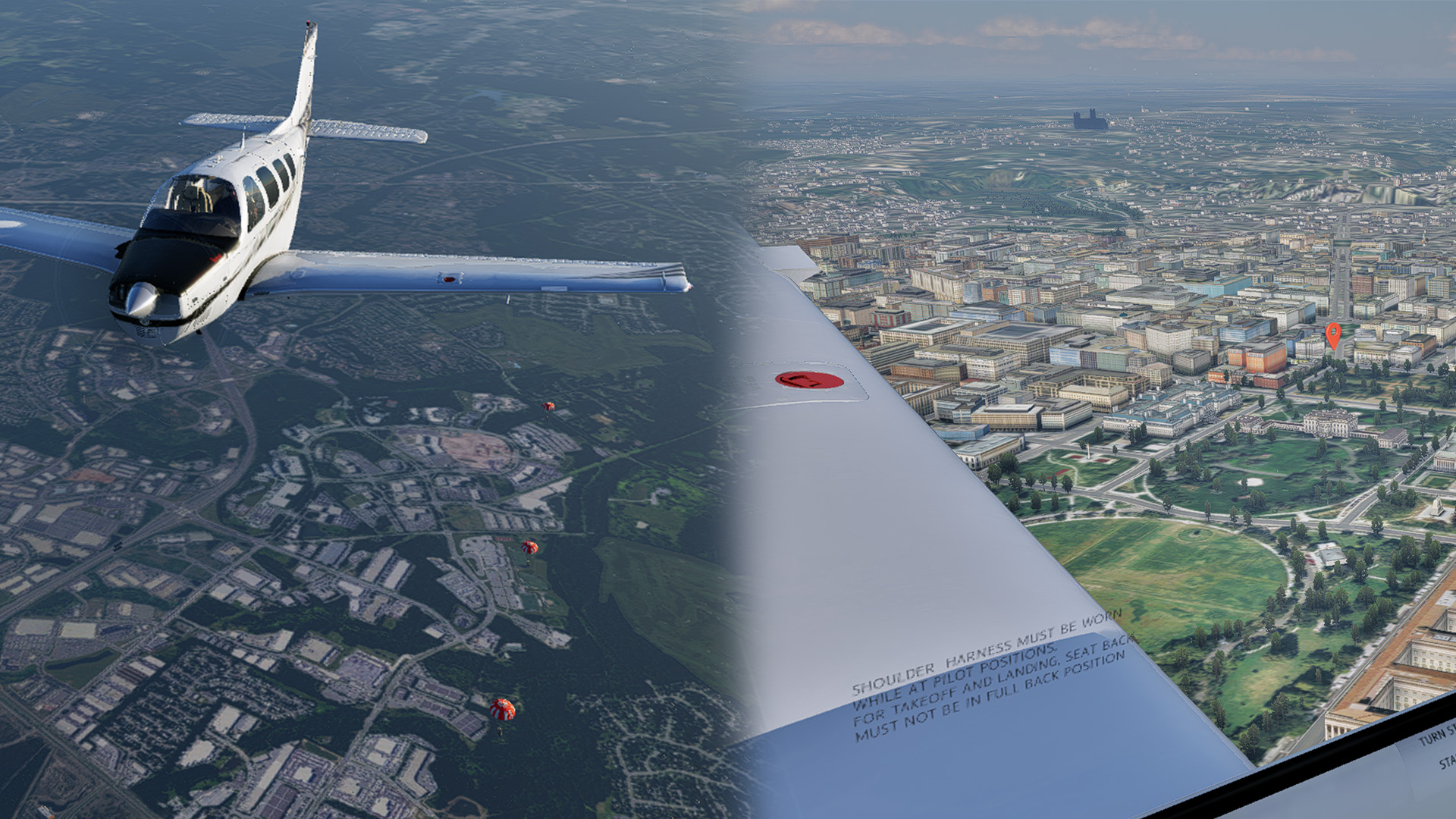
🪂 Skydiving Operations
Load up jumpers and climb to altitude. Unload them mid-air! We automatically generate enough jumpers to fill your plane.
📷 Sightseeing Tours
Take tourists on scenic circular routes. Keep it smooth to ensure a happy return!
🚁 Search & Rescue
Critical emergency missions. Respond to distress calls and perform search operations.
📣 Banner Towing
Advertise in the sky! Perform high skill maneuvers to hook and drop off the banner to complete this specialized job.
✈️ Airline Contracts
Captain a turbo/jet multi-engine aircraft with 20 or more seats for high paying airline jobs. Follow SOPs for proper IFR operations and passenger comfort.
🛩️ Airshow Aerobatics
Show off your aerobatic skills and get graded for your precision while you perform from a list of 14 different tracked maneuvers for the crowd below!
4. Economy & Fleet Management
Buying Aircraft
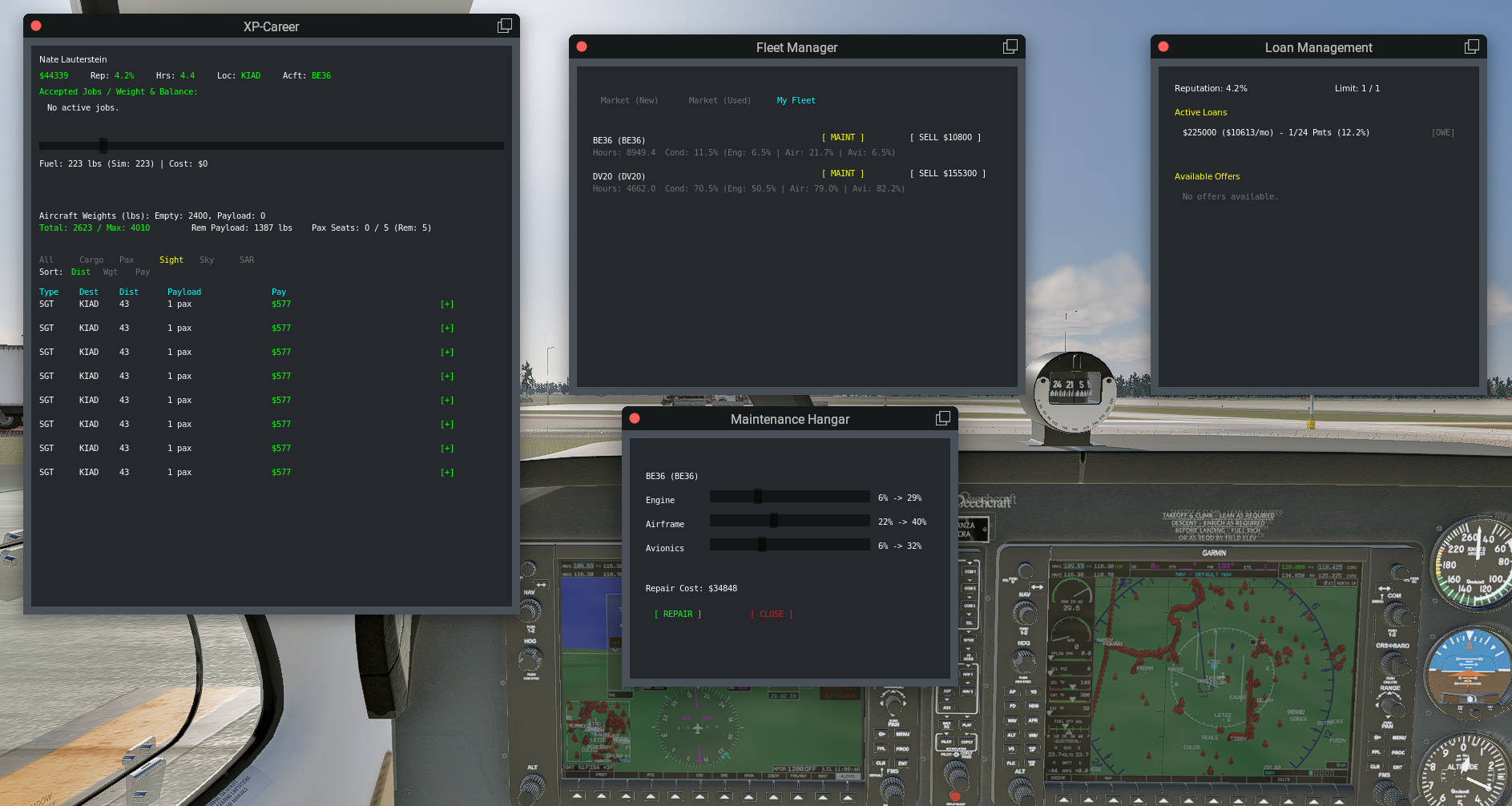
Access the "Used Aircraft Market" to buy planes. Listings rotate regularly. You can also take out bank loans to finance your purchase, but beware of interest rates! Insurance plans are also available to purchase for owned aircraft.
Finances
- FBO Fees: You pay landing and handling fees at major airports.
- Taxes: Income tax is deducted from your gross pay.
- Ownership: Owning a plane eliminates charter fees, significantly increasing profit margins.
5. Flight Grading
Every landing is analyzed. You are graded on:
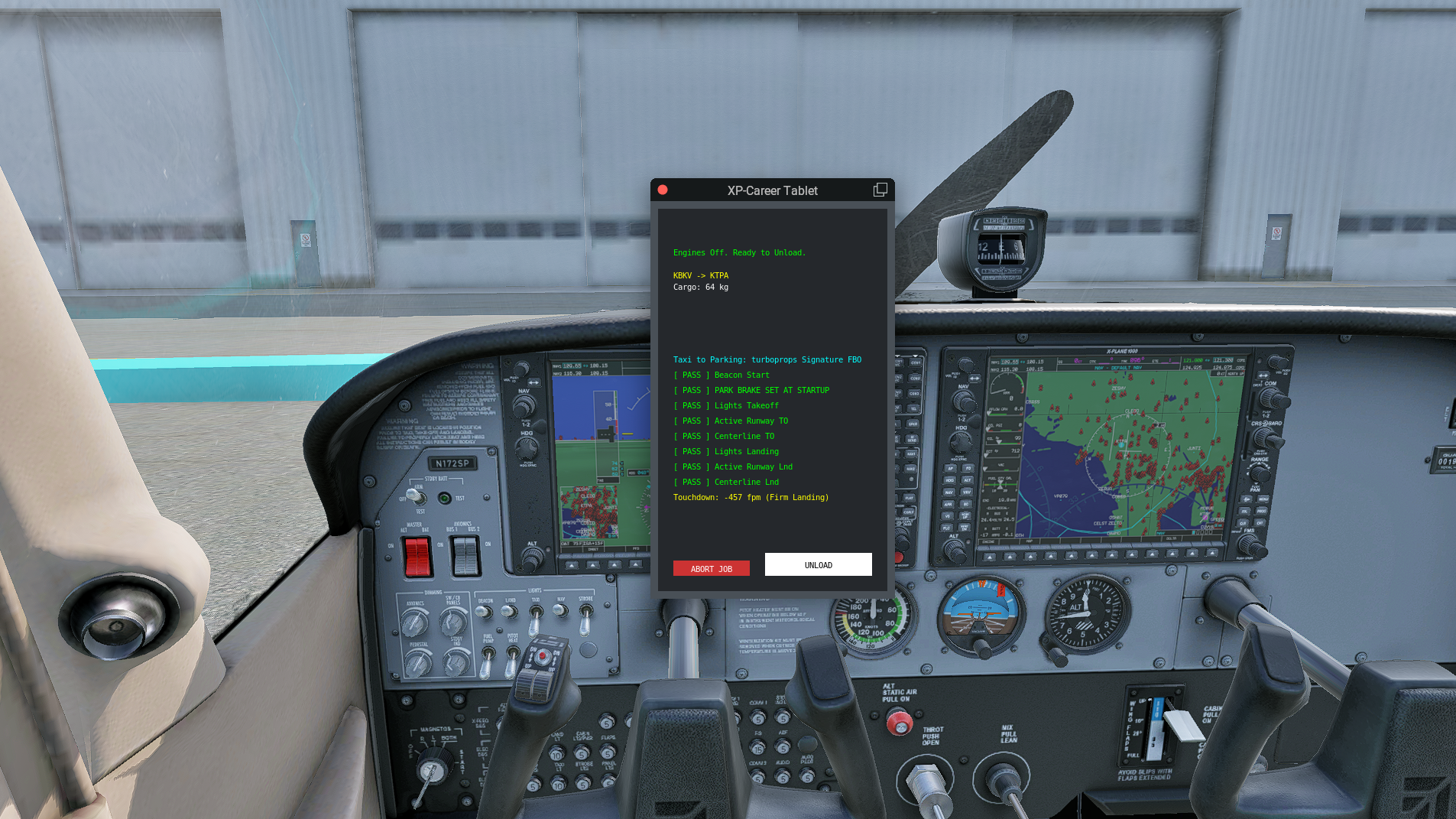
- G-Force: Keep it smooth (1.0 - 1.4G ideal).
- Centerline: Stay perfectly aligned.
- Touchdown Zone: Don't float!
Perfect landings earn XP and payment bonuses. Crashes or hard landings can damage your aircraft and reputation.
6. Airshows
When flying an Airshow job, you will be assigned a random sequence of maneuvers to execute along the designated runway "Show Line" and above the 500ft AGL Hard Deck.
Your precision score (and payout bonus) for each maneuver depends on how smoothly and accurately you execute them. Pay close attention to the cyan text on your screen!
-
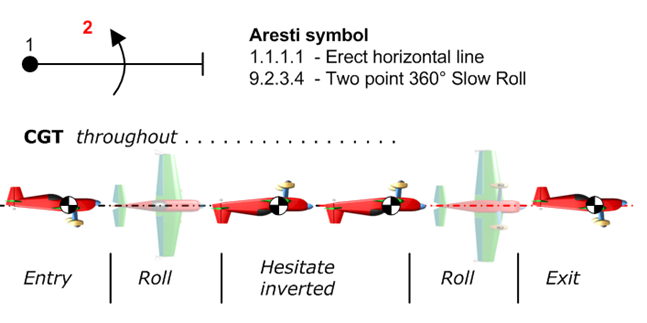
Aileron Roll
- How to Perform: Pull the nose up slightly, then apply full left or right aileron to roll the aircraft a complete 360 degrees, returning to level flight.
- Precision: Keep your altitude steady and finish the roll on your exact starting heading for maximum points.
-
Inside Loop
- How to Perform: Dive to gather speed, then smoothly pull straight back on the stick. Pitch the nose straight up, over onto your back, and pull through the vertical dive back to horizontal flight.
- Precision: Draw a perfectly round circle! Maintain consistent G-forces throughout the loop and exit the maneuver at the same altitude and heading you started.
-
Inverted Flight
- How to Perform: Roll the aircraft 180 degrees onto its back. You must hold sustained inverted flight (within 30 degrees of perfectly upside down) for a continuous 10 seconds.
- Precision: Maintain your altitude! Dropping altitude while inverted will quickly bleed away your precision score.
-
High-Speed Low Pass
- How to Perform: The signature crowd-pleaser. Drop below 100ft AGL directly over the airport while maintaining a speed of at least 100 KIAS.
- Precision: The closer you are to the runway centerline and the faster you go, the higher the score.
-
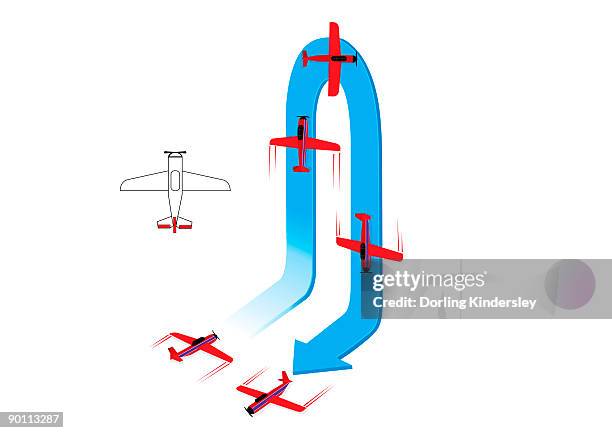
Hammerhead (Stall Turn)
- How to Perform: Pull perfectly vertical (pitch > 80 degrees) until your airspeed drops below 40 KIAS. As the aircraft is about to stall, kick full rudder to pivot the nose 180 degrees sideways into a vertical dive, then pull out.
- Precision: The closer you get to zero airspeed before kicking the rudder, and the steeper the vertical lines, the better the score.
-
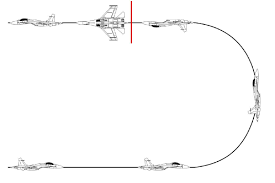
Immelmann
- How to Perform: Perform the first half of a loop. Pull back until the aircraft is inverted at the top of the loop, then immediately half-roll the aircraft back to upright, level flight at the new, higher altitude.
- Precision: Execute the half-roll precisely at the top of the loop without pausing inverted.
-
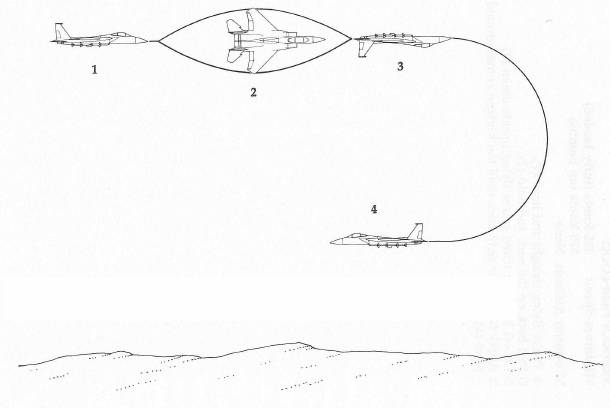
Split-S
- How to Perform: The opposite of an Immelmann. Half-roll the aircraft so it is inverted, then immediately pull back on the stick to perform a descending half-loop, exiting in upright, level flight at a lower altitude on the opposite heading.
- Precision: Keep the half-loop round and exit precisely 180 degrees from your entry heading.
-
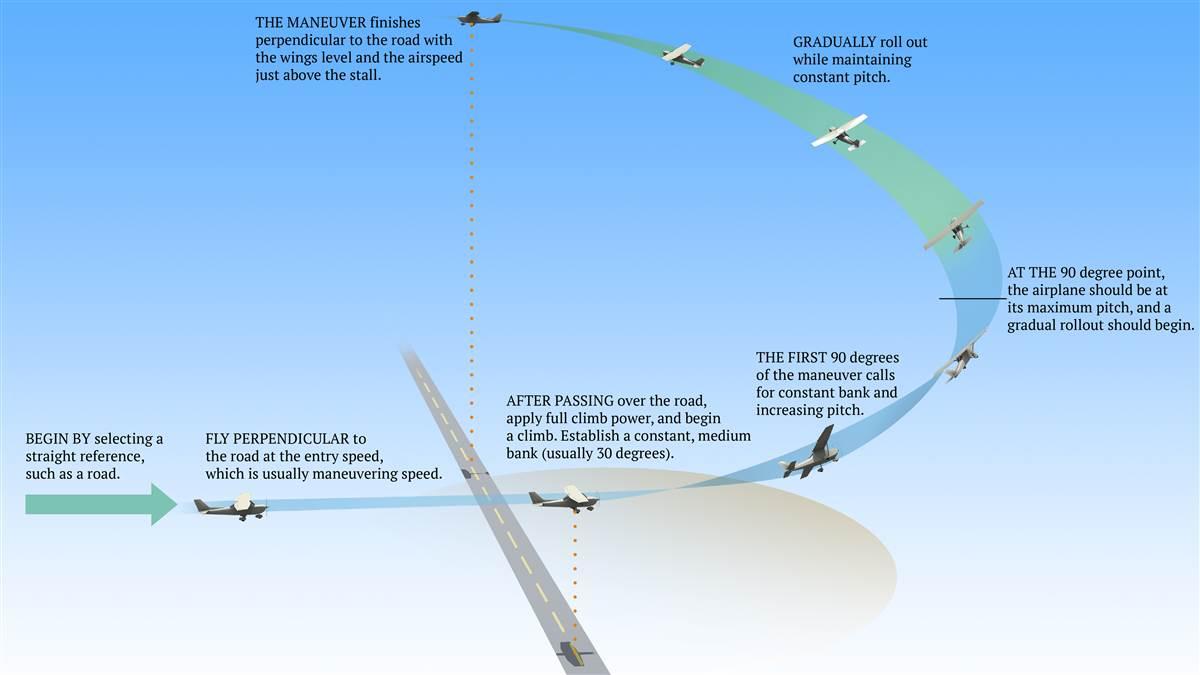
Chandelle
- How to Perform: A maximum-performance climbing turn. Roll into a 30-degree bank, then smoothly apply maximum back pressure to climb. At the 90-degree point of the turn, begin rolling wings level while still climbing.
- Precision: You must complete exactly a 180-degree turn, rolling wings level right as your airspeed drops to just above the stall speed (below 65 KIAS).
-
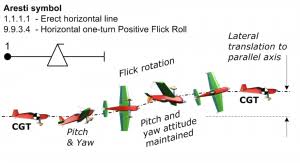
Snap Roll
- How to Perform: An accelerated stall maneuver. Abruptly pull back on the stick to rapidly increase pitch (inducing a stall) while simultaneously applying full rudder to rapidly roll the aircraft.
- Precision: The system looks for a sharp spike in G-force and a very rapid initial roll rate, followed by a crisp stop back to level flight.
-
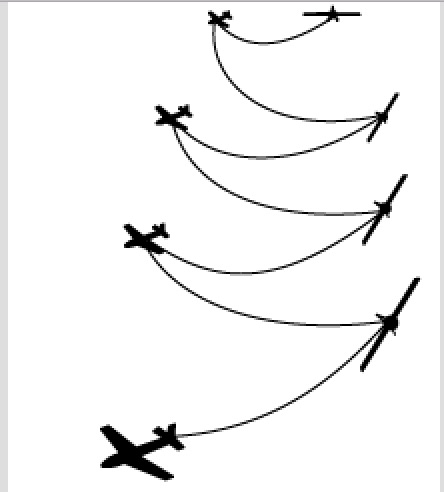
Falling Leaf
- How to Perform: Enter a sustained, fully stalled condition (airspeed below 50 KIAS). Instead of breaking the stall, hold the stick back and use aggressive rudder inputs to rock the wings side-to-side (roll alternating > 30 degrees left and right) while dropping altitude.
- Precision: Requires a minimum of 4 distinct, alternating wing drops while keeping the nose stalled without spinning.
-
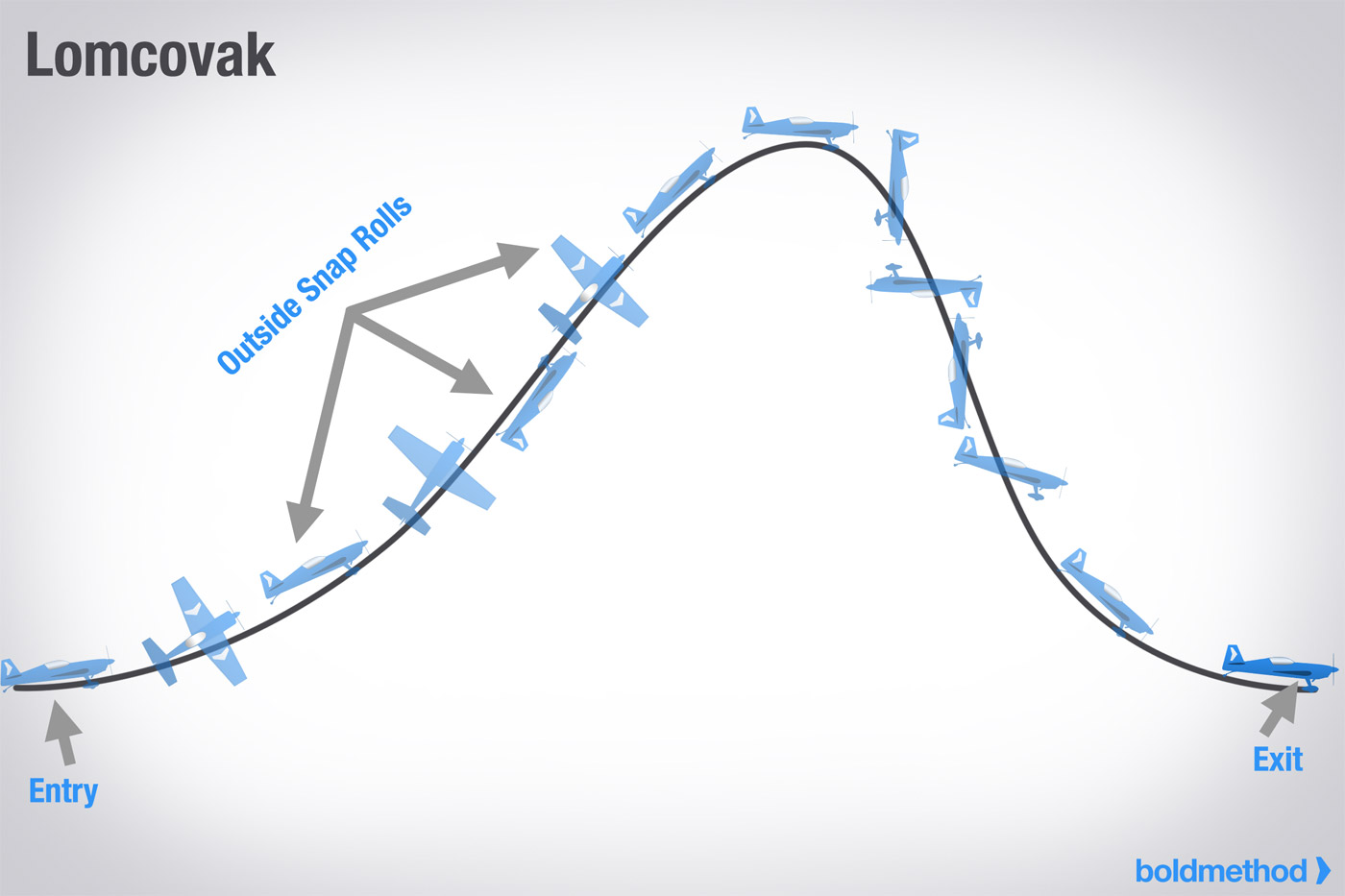
Lomcovak
- How to Perform: A tumbling, gyroscopic maneuver. Pitch up sharply, then apply full left rudder, full right aileron, and push the nose forward to induce negative G-forces. The aircraft will tumble end-over-end.
- Precision: Achieved by hitting high negative G-forces (-1.5G or worse) combined with extreme, chaotic yaw and roll rates.
-
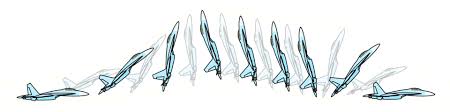
Pugachev's Cobra
- How to Perform: (Requires highly agile or thrust-vectored aircraft). From level flight, abruptly pitch the nose straight up (past 90 degrees) while maintaining your forward altitude and trajectory, then rapidly pitch the nose back down to horizontal.
- Precision: The system demands an extreme pitch angle (> 80 degrees) without gaining any significant altitude during the pitch-up phase.
-
Inverted Low Pass
- How to Perform: A dangerous combination. Roll inverted and descend below 200ft AGL. Hold the inverted flight at this extremely low altitude for a continuous 5 seconds.
- Precision: Maintain the inversion angle perfectly without dipping lower and striking the hard deck penalty limit.
-
4-Point Hesitation Roll
- How to Perform: An aileron roll pausing at 90-degree intervals. Roll into a 90-degree knife-edge and pause for 1 second. Roll to 180 degrees inverted and pause. Roll to 270 degrees knife-edge and pause. Finally, roll to level flight.
- Precision: You must hold the roll angle perfectly steady during each of the four 1-second hesitation pauses. Continuous rolling will fail the maneuver.
8. Advanced Features
Auto-Configuration
XP-Career scans your `Aircraft` folder on startup. It reads the `.acf` files directly to determine:
- ICAO Code
- Max Seats
- Engine Type (Jet vs Turboprop vs Piston)
- Horsepower (for High Performance checks)
This means you rarely need to configure anything manual. Just install a plane and fly.